


Vimi: My Math Tutor
4.294.00 Reviews
App Specs
- Version
- 1.0.72
- Updated On
- License
- Free
- Downloads
- 100,000+
- Developer
- Vimi AI Math Tutor
- Categories
- Education
- Platform
- Android
Screenshots


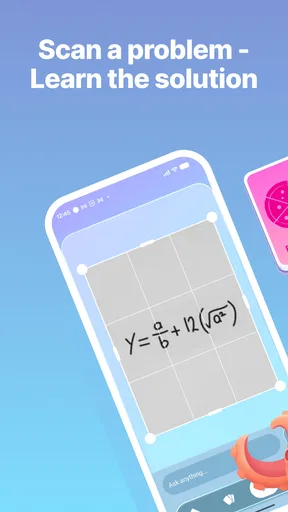

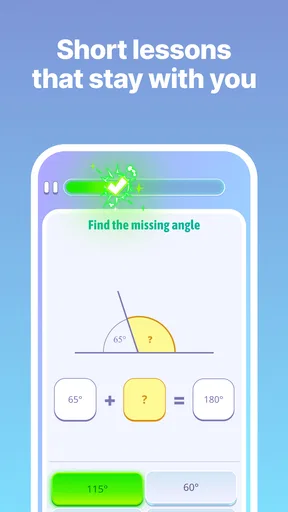
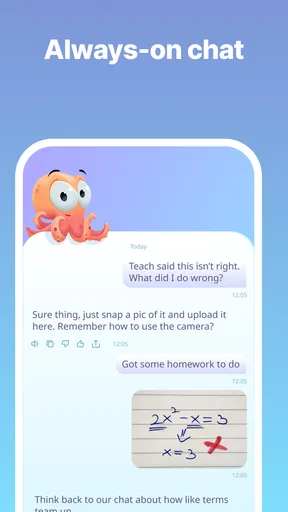


 Analysis by AppCompare
When I use a math tutor app, I want help with the exact point where I get stuck, not just another screen full of exercises. That is the standard I brought to Vimi: My Math Tutor (beta). It is an education app from Vimi AI Math Tutor, and its central promise is personal guidance through math. My overall impression is that it makes a useful companion for short study sessions, especially when you want a nudge toward understanding rather than a quick answer to copy.
A practical starting routine
I get the most out of a tutor app when I begin with one concrete goal: review a skill, work through a homework question, or find out which part of a topic is shaky. That approach suits Vimi better than opening it without a plan and expecting a long lesson to unfold by itself. I would start with a problem I have already attempted, note the step that stopped making sense, and use the app to focus my attention there. It turns a broad subject into a smaller, more manageable task.
For example, imagine I have a few minutes after class and keep making the same mistake while rearranging an equation. Rather than spend that time tapping through unrelated practice, I would bring that specific sticking point to a short session, follow the explanation carefully, and then try a similar problem without looking back. The useful test is not whether the app made the first question feel easy; it is whether I can repeat the reasoning on my own. That habit helps keep tutoring active instead of passive.
Vimi is free to install, has an Everyone content rating, and has reached over 50,000 installs. Its average rating is 4.5 from around 200 ratings, which is a positive signal of interest but not a guarantee that every learner will find its approach a fit. I see it as a low-friction option to try for everyday practice, while keeping in mind that in-app purchases range from around $20 to $155 per item. I would check what an offered purchase includes before committing, and decide whether I need more than the free experience for the way I study.
Small settings and habits that matter
The most useful “setting” is often the way I frame the session. I try to keep one topic in view, work slowly enough to notice why each step follows, and pause when an explanation stops matching my understanding. If I rush through a sequence just to finish, a correct result can hide a gap in the method. With a math tutor, my best habit is to treat feedback as a clue about what to review, not as proof that I have mastered the idea.
I also recommend keeping a small error log outside the app: write down the type of mistake, such as losing a negative sign or combining unlike terms, along with the correction that fixed it. That gives a learner something specific to return to in the next session, without assuming the app has a particular tracking tool. It is a simple way to make short practice repeatable and to see whether the same snag is appearing less often.
Vimi’s current version is 1.0.41, and it runs on devices with Android 8.0 or later. The app was released on November 6, 2025, so I would treat it as a relatively new option rather than a long-established reference tool. That context matters if you prefer a mature product with a long history of refinements. For someone comfortable trying a newer tutor and judging it by how well it helps with their own work, the version information is useful context rather than a reason on its own to rule it out.
Worth Reading Before You Choose

EA SPORTS FC Mobile 26 Is a Bigger Football Game, but It Takes Time

Flipboard Shows What News Apps Must Do Beyond the Feed

Switching to Android Auto Means Rethinking Your Driving Routine

Google Calendar Makes a Crowded Week Easier to Manage

Ludo King Makes the Most of the Minutes Between Plans

Baby Panda World Brings Quick Play to Modern Phones, but Its Game Library Feels Busy
How I would make practice more efficient
A good rhythm is to attempt a question before asking for help, study the explanation, then close the loop with a fresh attempt from memory. If I ask for guidance immediately, I may follow the steps without learning how to choose them. If I try first, even an incorrect attempt shows me what I thought the problem was asking. That makes the tutor’s response easier to use as instruction rather than an answer key.
I would also separate “learning” sessions from “checking” sessions. During learning, I take time to understand a method and write down the reason behind a step. During checking, I work independently and use help only after I have committed to an answer. This distinction is especially useful before a quiz: it prevents a run of assisted solutions from creating false confidence. For younger learners, a parent or teacher can make the routine more productive by asking the student to explain one step aloud after practice, instead of judging progress only by completed questions.
Compared with a textbook, Vimi offers a more guided and responsive-feeling way to approach math practice; a textbook, however, can be easier to browse when you want a complete chapter laid out in order. Compared with general video lessons, a tutor app is better suited to focused practice, while a video can be a clearer first introduction when you need a broad visual explanation. I would use Vimi alongside class notes or a trusted course, not as a replacement for a teacher’s guidance when a concept remains confusing or when coursework requires a particular method.
Where I would draw the line
No tutoring app can do the learning for me. If I tap through explanations quickly, rely on help for every step, or never test myself without assistance, I can finish a session without being able to solve anything independently. The app is most valuable when I bring patience and a specific question. It is less suitable for someone who only wants final answers, a complete substitute for classroom instruction, or a carefully sequenced course with a clearly defined syllabus.
There is also a practical trade-off in the purchase model. Free access makes it easy to see whether the experience suits me, but the in-app purchase range means I would pay attention to the cost and scope of any upgrade before buying. I would not assume a paid option is necessary to make progress; I would first try a consistent study routine and consider spending only if a particular paid offering solves a real need for me.
Getting Started with Vimi
Right off the bat, downloading Vimi: My Math Tutor was a breeze. It’s available on both Android and iOS, so no worries about compatibility. Once installed, I was greeted with a clean and intuitive interface that didn’t overwhelm me with too many options. That’s a plus in my book! The app is designed to make learning math not just effective but also fun. It feels less like a chore and more like a friendly challenge.
Features That Make Vimi Stand Out
Now, let’s talk about what makes Vimi unique. The app offers a wide range of topics, from basic arithmetic to more complex concepts like algebra and geometry. What I found particularly impressive was the personalized learning path. Based on my initial assessment, Vimi tailored the lessons to fit my current skill level, ensuring I wasn’t bored or overwhelmed.
The app also incorporates gamified elements. Who knew math could be this fun? As I completed lessons and quizzes, I earned points and badges. It’s a small touch, but it kept me motivated to keep learning and improving. The interactive quizzes are perfect for testing what you’ve learned, and the instant feedback helps reinforce concepts.
Interactive and Engaging
One of the standout features of Vimi is its interactive approach. The app uses a combination of text, visuals, and even video tutorials to explain math concepts. This multimedia approach caters to different learning styles, making it easier for anyone to grasp even the trickiest topics. I particularly enjoyed the step-by-step problem-solving guides. They break down complex problems into manageable steps, which is super helpful.
Another cool feature is the community aspect. Vimi allows you to connect with other users, share tips, and even solve problems together. It’s like having a math buddy available anytime you need one! This aspect makes learning less isolating and more like a group effort.
Room for Improvement
While I’m a big fan of Vimi, there’s always room for improvement. Since it’s in beta, I did encounter a few minor bugs. Occasionally, the app would freeze during a quiz, but nothing a quick restart couldn’t fix. I’m confident these will be ironed out in the official release.
I’d also love to see more advanced topics included in future updates. While the app covers a broad range, adding more depth to each topic would be beneficial for users who want to dive deeper.
Final Thoughts
Overall, Vimi: My Math Tutor (beta) is a fantastic tool for anyone looking to improve their math skills. Its personalized approach and engaging features make learning math an enjoyable experience. Whether you’re a student needing extra help or just someone who wants to sharpen their skills, Vimi is definitely worth a try.
With its user-friendly design and interactive content, math becomes less of a headache and more of a fun challenge. So, if you’re looking to conquer those math woes, give Vimi a shot. It might just become your new favorite study buddy!
Pros
- Interactive learning modules enhance engagement.
- Customizable difficulty levels for all ages.
- Real-time feedback helps track progress.
- User-friendly interface with intuitive navigation.
- Offline access available for uninterrupted learning.
Cons
- Limited features in the beta version.
- Occasional app crashes disrupt usage.
- Advanced topics not fully covered yet.
- Requires account creation for personalized settings.
- Some users report slow loading times.
FAQs for Vimi: My Math Tutor
What is Vimi: My Math Tutor (beta) designed for?
Vimi: My Math Tutor (beta) is designed to help students enhance their mathematical skills through interactive lessons and exercises. It covers a wide range of topics suitable for different education levels, making it an ideal tool for both beginners and advanced learners looking to improve their math proficiency.
Is Vimi: My Math Tutor (beta) suitable for all age groups?
Yes, Vimi: My Math Tutor (beta) is structured to accommodate various age groups. The app offers tailored content that ranges from basic arithmetic for younger users to more complex subjects like calculus for older students, ensuring a comprehensive learning experience for all.
Does Vimi: My Math Tutor (beta) require an internet connection?
While Vimi: My Math Tutor (beta) can be accessed offline, certain features such as downloading new lessons or accessing interactive content may require an internet connection. For the best experience, it's recommended to have a stable internet connection when using the app.
Are there any in-app purchases in Vimi: My Math Tutor (beta)?
Vimi: My Math Tutor (beta) offers a variety of free content to users. However, there may be optional in-app purchases available for advanced lessons or additional features. These purchases are designed to enhance the learning experience without hindering access to essential educational content.
How does Vimi: My Math Tutor (beta) support personalized learning?
Vimi: My Math Tutor (beta) supports personalized learning by adapting to each user's pace and performance. The app provides tailored feedback and suggests customized lesson plans based on individual progress, ensuring that users can learn at their own speed and focus on areas that need improvement.


